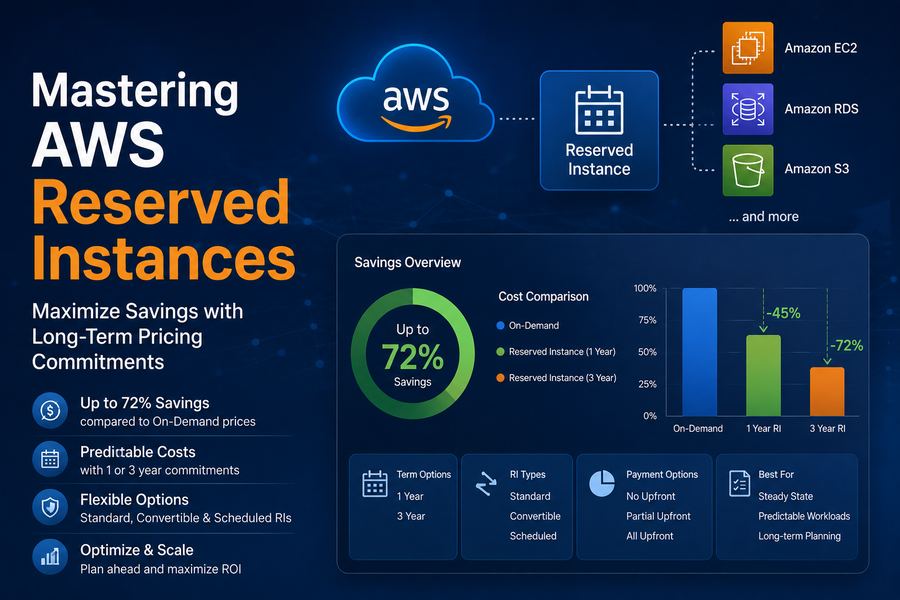
AWS Reserved Instances (RIs) are one of the most effective ways to reduce your cloud costs. By committing to a specific instance family and region, you can save up to 72% compared to On-Demand pricing.
In this comprehensive guide, we'll cover everything you need to know about AWS Reserved Instances, including:
- Types of Reserved Instances
- When to use each type
- Purchase strategies and best practices
- How to monitor and optimize your RI portfolio
What Are AWS Reserved Instances?
Reserved Instances are a billing discount applied to EC2 usage in exchange for a commitment to a specific instance family, region, and term length (1 or 3 years). They are not physical instances — they're a discount model that applies to your existing EC2 instances.
Types of Reserved Instances
AWS offers three main types of Reserved Instances, each with different flexibility and savings profiles:
1. Standard RIs
Standard RIs offer the highest savings (up to 72%) but have limited flexibility. They can be modified within the same instance family but cannot be exchanged for different instance families.
- Savings: Up to 72%
- Flexibility: Low
- Best For: Steady-state workloads with predictable usage
- Modification: Can change instance size within the same family
2. Convertible RIs
Convertible RIs offer lower savings (up to 54%) but provide the ability to exchange them for different instance families or regions. This is ideal for changing workloads.
- Savings: Up to 54%
- Flexibility: High
- Best For: Changing workloads and uncertain future requirements
- Modification: Can exchange for different instance families and regions
3. Scheduled RIs
Scheduled RIs are for workloads that run on a predictable schedule, such as batch processing jobs that run at specific times.
- Savings: Up to 50%
- Flexibility: Medium
- Best For: Predictable schedule-based workloads
- Modification: Limited modification options
RI Purchase Strategies
Choosing the right RI purchase strategy can significantly impact your savings:
1. Analyze Usage Patterns
Use AWS Cost Explorer to analyze your EC2 usage patterns over the last 30-60 days. Identify instances that run 24/7 and have consistent usage.
2. Start with 1-Year Terms
Begin with 1-year commitments to test the waters. You can always renew for 3-year terms later for higher savings.
3. Regional vs. Zonal RIs
- Regional RIs: Apply to any instance in the region, offering more flexibility
- Zonal RIs: Apply to a specific Availability Zone, offering capacity reservation
4. Use AWS RI Recommendations
AWS Cost Explorer provides personalized RI recommendations based on your historical usage. These recommendations help you make informed purchase decisions.
RI Best Practices
- Monitor RI Utilization: Track your RI usage to avoid over-purchasing
- Set Up Alerts: Configure CloudWatch alarms for low RI utilization
- Review Quarterly: Review your RI portfolio every quarter
- Combine with Savings Plans: Use both RIs and Savings Plans for maximum coverage
- Use AWS Compute Optimizer: Get recommendations for instance right-sizing
RI vs. Savings Plans
Both RIs and Savings Plans offer significant savings, but they serve different purposes:
| Feature | Reserved Instances | Savings Plans |
|---|---|---|
| Coverage | EC2 only (with limited exceptions) | EC2, Fargate, Lambda |
| Flexibility | Limited (Standard) / High (Convertible) | Highest |
| Savings | Up to 72% | Up to 66% |
| Term | 1 or 3 years | 1 or 3 years |
| Best For | Predictable EC2 workloads | Mixed compute workloads |
At DeployInCloud, we've helped 500+ enterprises optimize their RI portfolios and achieve cost savings of 35-40%. Contact us for a free cost optimization assessment today.