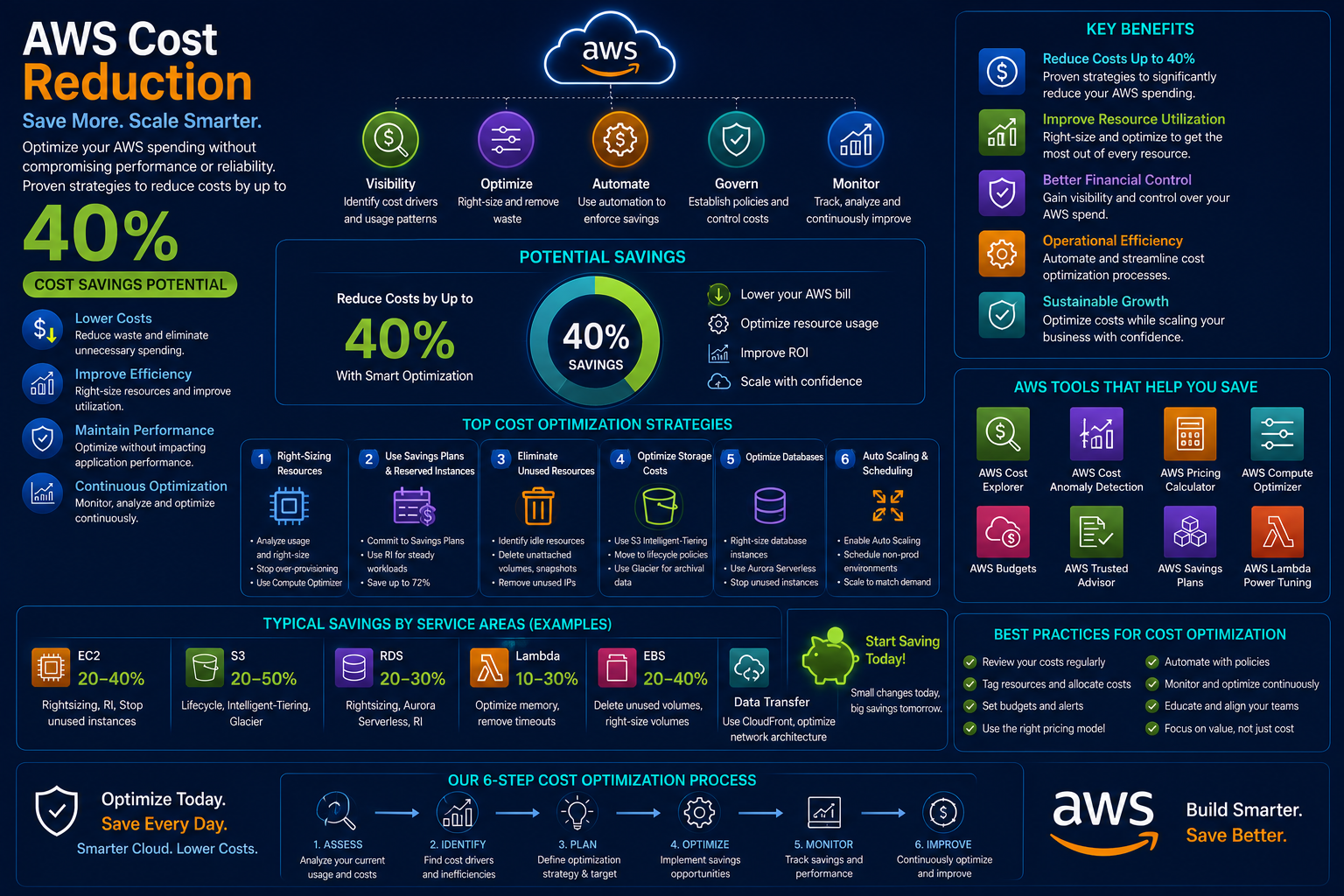
AWS cloud costs can quickly spiral out of control without proper optimization strategies. Many enterprises overspend by 30-40% on their cloud infrastructure due to inefficient resource allocation, lack of cost visibility, and suboptimal purchasing strategies.
In this comprehensive guide, we'll walk you through 5 proven strategies to reduce your AWS cloud costs by up to 40% within 29 days.
1. Leverage Reserved Instances (RIs)
Reserved Instances can save you up to 72% compared to On-Demand pricing. We recommend analyzing your workload patterns to determine the right mix of Standard and Convertible RIs.
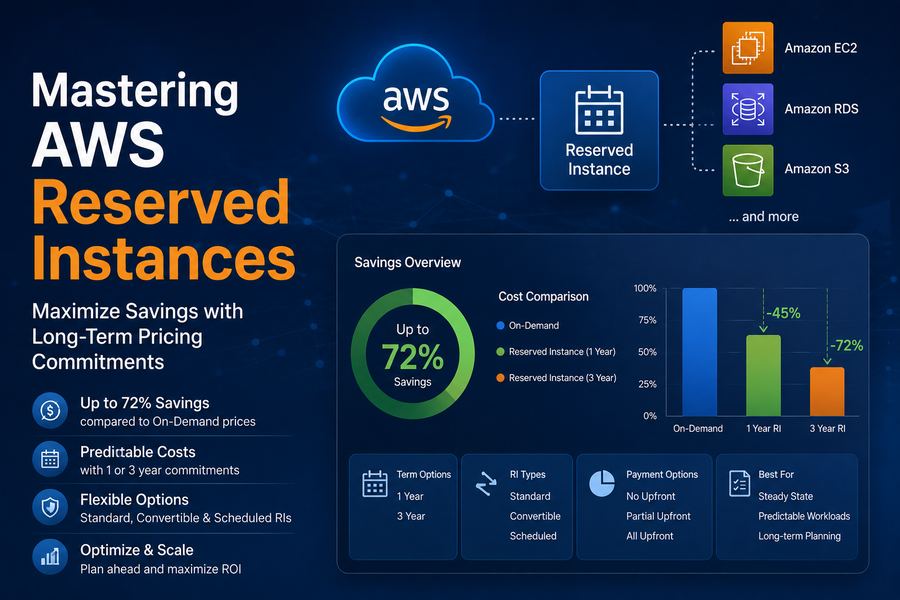
Types of Reserved Instances
| RI Type | Savings | Best For | Flexibility |
|---|---|---|---|
| Standard RIs | Up to 72% | Steady-state workloads | Low |
| Convertible RIs | Up to 54% | Changing workloads | High |
| Scheduled RIs | Up to 50% | Predictable schedule | Medium |
Best Practices for RIs
- Analyze usage patterns: Use AWS Cost Explorer to identify steady-state workloads
- Start with 1-year terms: Begin with 1-year reservations before committing to 3-year
- Consider regional vs. zonal: Regional RIs offer more flexibility
- Monitor RI utilization: Track usage to avoid over-purchasing
2. Implement AWS Savings Plans
Savings Plans offer significant savings with more flexibility than RIs. Choose between Compute Savings Plans and EC2 Instance Savings Plans based on your needs.
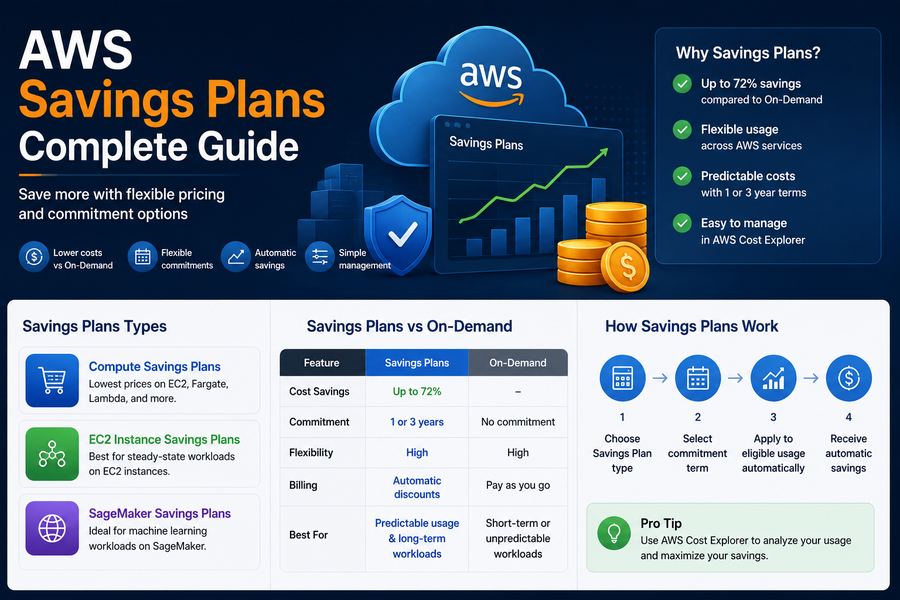
Savings Plans Comparison
| Savings Plan Type | Coverage | Savings | Flexibility |
|---|---|---|---|
| Compute Savings Plans | EC2, Fargate, Lambda | Up to 66% | Highest |
| EC2 Instance Savings Plans | EC2 only | Up to 66% | Medium |
| SageMaker Savings Plans | SageMaker | Up to 50% | Low |
3. Right-size Your Resources
Use AWS Compute Optimizer and CloudWatch metrics to identify underutilized resources and rightsize them for optimal performance and cost efficiency.
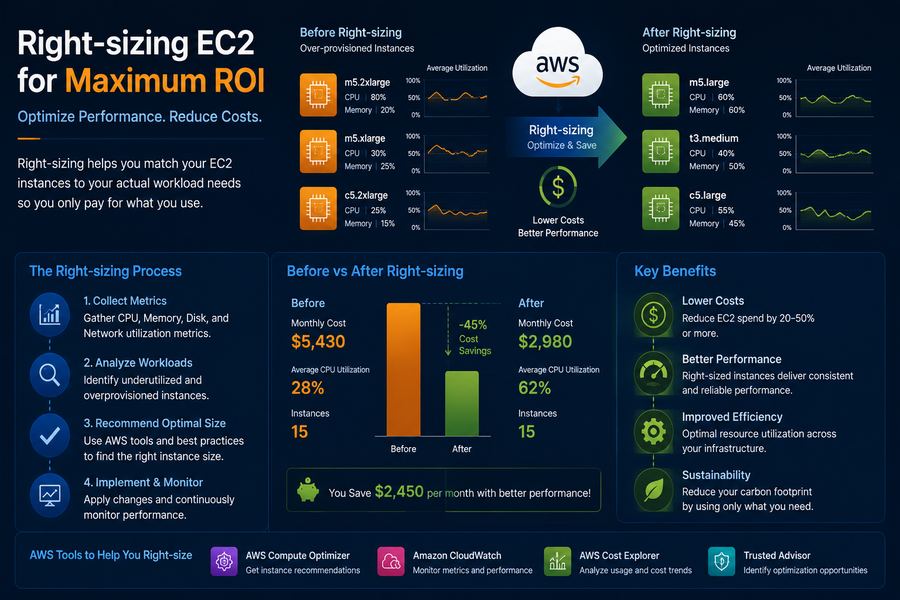
Right-sizing Checklist
- Analyze CPU and memory utilization patterns
- Downsize over-provisioned instances
- Consider Graviton instances for ARM workloads
- Use AWS Compute Optimizer for recommendations
4. Optimize Storage Costs
Implement storage lifecycle policies to automatically transition data to cost-effective tiers like S3 Infrequent Access or S3 Glacier.
Storage Optimization Strategies
- Use S3 Intelligent-Tiering: Automatic cost optimization for unknown access patterns
- Implement lifecycle transitions: Based on access patterns
- Delete unnecessary snapshots and AMIs: Regular cleanup
5. Implement FinOps Culture
Build a cost-conscious culture with tagging strategies, budget alerts, and regular cost reviews across your engineering teams.
FinOps Best Practices
- Enforce consistent tagging: For cost allocation and chargeback
- Set up AWS Budgets: And anomaly detection alerts
- Conduct weekly cloud cost reviews: Make it a team ritual
- Use AWS Cost Explorer: For detailed cost analysis
At DeployInCloud, we've helped 500+ enterprises achieve cost savings of 35-40% through our proven FinOps framework. Contact us for a free cost optimization assessment today.